
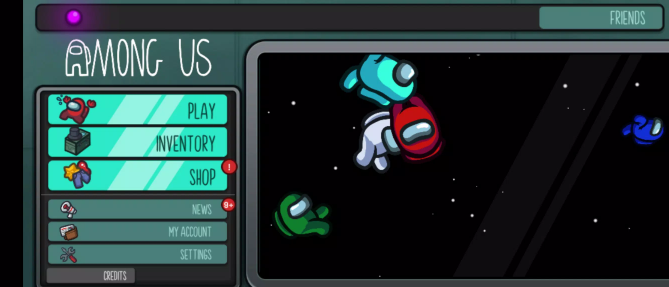
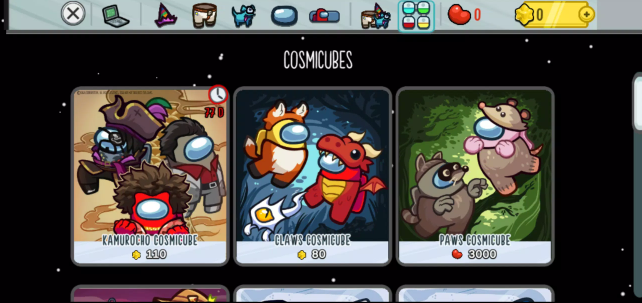
If you are searching for Among Us download, the first thing worth knowing is that there is no single download package that works for every device. Among Us is available across phones, Windows PCs, supported Macs, Nintendo Switch, Xbox, and PlayStation, but the price, installation method, and system requirements change depending on where you play.
I have always considered Among Us one of those games that looks almost too simple in screenshots. You walk around as a colorful little Crewmate, perform small tasks, and occasionally argue about who just murdered somebody in Electrical. Once you actually get into a lobby with friends, though, the social side becomes the real game. A perfectly normal task run can turn into ten minutes of accusations, fake alibis, panic, and someone insisting, “I saw Red vent.”
This guide covers the main Among Us download options, including free mobile versions, PC and Mac installation, APK questions, consoles, cross-platform play, emulators, safety, and updates. If your main goal is simply to install the real game without getting dragged into fake APK sites or outdated versions, this is where I would start.
I. Among Us Download Overview
A. What Is Among Us?
Among Us is a multiplayer social deduction game developed by Innersloth. A normal match places a group of players together as Crewmates, while one or more players secretly become Impostors.
Crewmates spend the match completing tasks, watching other players, reacting to sabotages, reporting bodies, and trying to figure out who is lying. Impostors have the opposite objective: blend in, fake believable behavior, sabotage the map, eliminate Crewmates, and survive discussions without getting voted out.
What makes the game work is that mechanical skill is only part of the experience. Memory, timing, observation, deception, and communication can matter just as much.
You can play online with other players or use local Wi-Fi when everyone is nearby. Current versions support lobbies of up to 15 players, which can make larger games wonderfully chaotic.
B. Why Players Search for Among Us Download
There are several reasons Among Us download remains such a common search.
The biggest one is platform confusion. The mobile edition can be downloaded for free, while most PC and console storefronts sell the game as a paid title. Mac support is also different from ordinary Windows support, and players searching for an APK often assume there is an official standalone APK file somewhere on the developer's website.
Another reason is cross-platform play. A group might have one person on Android, another on iPhone, someone on Steam, and another friend using a console. Since Among Us supports crossplay across the main versions of the original game, players often want to know which edition they need before installing it.
II. Among Us Free Download Options
A. Official Free Download Sources
The easiest legitimate way to get an Among Us free download is through the mobile versions.
Android users can install the game from Google Play, while iPhone and iPad users can download it from Apple's App Store. These mobile releases are free to install, although they can include advertising and optional in-game purchases.
This distinction matters because many websites advertise things like “Among Us PC free full version” or “premium unlocked Among Us download.” Those are not normal official PC distribution methods.
Promotions and subscriptions can occasionally make a paid edition temporarily free or included with a service, but availability changes. If something claims to be permanently free on a platform where the official storefront normally charges for it, check carefully before installing anything.
B. Free vs Paid Platforms
The basic platform situation is straightforward:
| Platform | Typical Download Model |
|---|---|
| Android | Free download with ads/in-app purchases |
| iPhone/iPad | Free download with in-app purchases |
| Supported Apple Silicon Mac | App Store mobile-compatible version |
| Windows via Steam | Paid |
| Windows via Epic Games Store | Paid |
| Nintendo Switch | Paid |
| Xbox | Paid or potentially available through eligible subscriptions |
| PlayStation | Paid |
Prices and subscription availability can change by region, promotion, and storefront, so I would always check the store itself rather than relying on an old price quoted by a third-party download page.
III. Among Us PC Download
A. Download for Windows
For a standard Among Us PC download, Steam and the Epic Games Store are the two most straightforward options.
On Steam:
-
Install the Steam client.
-
Sign in or create an account.
-
Search for Among Us.
-
Purchase the game if required.
-
Select Install from your library.
-
Choose an installation location.
-
Launch the game after the download finishes.
Epic Games Store works in roughly the same way. Install the Epic Games Launcher, locate Among Us, add or purchase it through your account, and install it from your library.
Personally, I prefer using one of these storefronts rather than downloading random PC installers because updates are handled automatically and you do not have to guess whether an EXE file is legitimate.
B. Download for Mac
Mac is where the Among Us download situation becomes slightly confusing.
The traditional Steam release is primarily a Windows PC version. However, Apple's App Store currently makes the mobile-compatible edition available on supported Apple Silicon Macs.
For this route, you need a Mac running macOS 11 or later with an Apple M1 chip or newer.
That means an older Intel-based Mac does not get the same straightforward App Store compatibility.
On a supported Mac:
-
Open the App Store.
-
Search for Among Us.
-
Confirm that the publisher is InnerSloth LLC.
-
Download the compatible app.
-
Launch it normally from your Applications folder or Launchpad.
C. PC System Requirements
Among Us is not demanding compared with modern 3D games.
For Windows, the official minimum specification currently centers around:
-
Windows 10 32-bit
-
Intel Core i3-4330
-
1 GB RAM
-
Intel HD Graphics 4600
A more comfortable recommended setup includes:
-
Windows 10 64-bit
-
Intel Core i3-4330 or better
-
4 GB RAM
-
NVIDIA GTX 650-level graphics or better
The game itself does not need a huge gaming PC. In my experience, connection stability matters more than having a powerful GPU. An unstable network during a heated match is much more annoying than losing a few frames.
IV. Among Us Mobile Download
A. Download for Android
Android users should search for Among Us directly inside Google Play and check that the developer is Innersloth LLC.
Then:
-
Open Google Play.
-
Search for Among Us.
-
Open the official listing.
-
Tap Install.
-
Allow the download to finish.
-
Open the game and complete any first-launch setup.
Because the Google Play version is free, there is rarely a good reason for the average player to hunt around unfamiliar APK sites.
B. Download for iOS
The iOS process is equally simple:
-
Open the Apple App Store.
-
Search for Among Us.
-
Check that the seller is InnerSloth LLC.
-
Tap Get.
-
Authenticate with Face ID, Touch ID, or your Apple account.
-
Wait for installation to complete.
The game supports iPhone and iPad, making the mobile edition one of the easiest ways to start playing.
C. Mobile System Requirements
On Apple devices, the current App Store compatibility requirement starts at iOS 13.0 for iPhone and iPadOS 13.0 for iPad.
For Android, Google Play handles compatibility based on the device and current game build. Instead of trusting an old Android requirement copied from a third-party website, check whether Google Play marks the game as compatible with your specific phone or tablet.
I would also keep extra storage available beyond the initial installation size. Updates, cached files, and additional game data can increase storage use over time.
V. Among Us APK Download
A. Official APK Download
This section needs one important clarification: Innersloth does not normally distribute the Android edition as a standalone “official APK download” from its main game website.
The normal official Android installation route is Google Play.
Google Play still installs the Android application package behind the scenes, of course, but players do not normally need to manually download or sideload that package.
So when a website has a huge button labeled Official Among Us APK Download, do not assume the word “official” actually means anything.
B. Safe APK Download Tips
If you absolutely need to sideload an APK because Google Play is unavailable on a particular Android device, be much more cautious than you would with a normal store installation.
At minimum:
-
Check the package name and publisher information.
-
Avoid installers that ask you to download unrelated applications first.
-
Do not install files packaged as mysterious EXE or ZIP downloads for Android.
-
Be suspicious of unlimited currency claims.
-
Scan downloaded files with reputable security software.
-
Avoid providing your Google, Apple, Steam, or game credentials to third-party download sites.
-
Keep Android's “install unknown apps” permission disabled when you are not actively using it.
An APK is executable software. Treating it like an ordinary image or document is a bad habit.
C. Mod APK Versions
You will see plenty of searches for Among Us Mod APK, usually promising unlocked skins, removed ads, altered movement speed, hacks, or unlimited resources.
I would not mix these versions with your normal game installation.
A modified APK is not an official Among Us release. It may stop working after an update, contain altered or malicious code, interfere with multiplayer, or create account and security problems.
There is also a practical point: Among Us is fun because everybody is working within the same rules. A hacked client that reveals roles or changes normal gameplay basically destroys the entire social deduction element.
VI. Among Us Download via App Stores
A. Google Play Store
Google Play is the standard Android Among Us download source.
The listing is published by Innersloth LLC and includes the free Android release, advertisements, and optional purchases.
Using Google Play also gives you automatic update support, which becomes important when older versions stop connecting properly to current lobbies.
B. Apple App Store
The Apple App Store provides the free version for iPhone and iPad and also supports compatible Apple Silicon Macs.
One nice part of using the App Store is that compatibility information is displayed before you download. If your OS or Mac hardware is too old, the store can tell you rather than leaving you to troubleshoot an unsupported build.
C. Steam
Steam is probably the most familiar route for PC players.
Besides easy installation, you get Steam's library management, automatic updates, achievements, and straightforward reinstallation if you move to another PC.
If most of your gaming library is already on Steam, I see little reason to complicate the process.
D. Epic Games Store
The Epic Games Store also distributes the Windows version of Among Us.
Gameplay is still the same original game, so choosing between Epic and Steam is mostly about which PC ecosystem you prefer and where you want to own the title.
VII. Among Us Console Download
A. Nintendo Switch Download
Nintendo Switch players can purchase the digital version through the Nintendo eShop.
The Switch version supports handheld, tabletop, and TV play, making it a surprisingly nice fit for Among Us. Local wireless and online multiplayer options are also available.
Current Nintendo compatibility information also lists the Switch version as supported on Nintendo Switch 2.
B. Xbox Download
Among Us is available for Xbox One and Xbox Series X|S, with Microsoft's storefront also supporting PC and cloud-related options depending on your account and subscription.
Search for the game directly through the Microsoft Store or Xbox console store and install it from your library.
If you use Game Pass, check your current subscription catalog before buying separately because subscription availability can change.
C. PlayStation Download
PlayStation players can get Among Us for PS4 and PS5 through the PlayStation Store.
Online multiplayer requires the appropriate PlayStation online service, so remember that buying the game itself may not be the only requirement for online matches.
Cross-platform multiplayer is supported, which means your PlayStation group is not limited to other PlayStation users.
VIII. How to Install Among Us
A. Installation Steps for PC
For most Windows users, installation is basically:
-
Choose Steam or Epic Games Store.
-
Install the relevant launcher.
-
Sign in.
-
Find Among Us.
-
Purchase or add the game to your library.
-
Click Install.
-
Wait for installation and updates.
-
Launch the game.
-
Sign in or configure your account where required.
-
Enter an online lobby or create your own.
If the game refuses to connect after sitting unplayed for several months, updating it should be one of the first things you try.
B. Installation Steps for Mobile
For Android:
Google Play → Among Us → Install → Open
For iOS:
App Store → Among Us → Get → Install → Open
Simple as that.
If you previously installed a modified APK, I would remove it before installing the official version to reduce the chance of package conflicts or corrupted files.
C. Using an Emulator: BlueStacks and LDPlayer
Another option for Windows users is running the Android edition through an emulator such as BlueStacks or LDPlayer.
The process usually works like this:
-
Install your chosen Android emulator.
-
Launch the emulator.
-
Sign in to Google Play.
-
Search for Among Us.
-
Install the official Google Play version.
-
Configure keyboard controls if necessary.
-
Launch the game.
This can be useful if you specifically want the mobile version on a PC.
However, I would not call it the best method for everybody. The native Windows release is simpler, avoids running an entire Android environment, and is generally easier to troubleshoot.
IX. Among Us Cross-Platform Play
A. Crossplay Support
One of the strongest reasons to download Among Us today is that the original game supports cross-platform multiplayer across its major platforms.
Players on PC, Android, iOS, and consoles can join compatible games together.
That is particularly valuable for a party game. Your group does not need to agree that everybody should buy the same console or use the same phone.
Just make sure everyone is running a sufficiently current game version.
B. Playing With Friends Across Devices
The easiest method is to use a private lobby.
One player creates the room, and the others enter the lobby code. Make sure everyone is using the same server region if the room does not immediately appear.
For example, your group could look like this:
-
Player 1: Windows PC
-
Player 2: iPhone
-
Player 3: Android tablet
-
Player 4: Nintendo Switch
-
Player 5: PS5
-
Player 6: Xbox Series X
They can still end up accusing each other in the same match.
And yes, your friendship can still fall apart when Player 4 swears they were in MedBay.
X. Among Us Gameplay Basics
A. Crewmate and Impostor Roles
As a Crewmate, your two basic win conditions are completing the Crew's tasks or correctly identifying and ejecting the Impostors.
That sounds easy until everybody starts behaving suspiciously.
A good Crewmate watches routes, remembers who was nearby, notices who enters or leaves rooms, and pays attention during emergency discussions.
Impostors need a completely different mindset. You are trying to look normal while creating opportunities for eliminations.
Sometimes the best Impostor play is not an aggressive kill spree. It can be much more effective to build trust early, pretend to complete tasks, defend an innocent player, and let the lobby tear itself apart.
B. Tasks and Sabotage
Crewmate tasks are small activities scattered around each map. Finishing enough tasks pushes the team toward victory.
Impostors can use sabotage to interrupt that rhythm.
Depending on the map and situation, sabotage can:
-
Force players to respond to an emergency.
-
Turn off lights.
-
Disrupt communications.
-
Close doors.
-
Split groups.
-
Create opportunities for isolated kills.
Good sabotage is less about pressing a button whenever it becomes available and more about controlling where players move.
C. Voting Mechanics
When somebody reports a body or calls an Emergency Meeting, the action stops and discussion begins.
This is where Among Us changes from a simple task game into social deduction.
Players compare stories, share locations, accuse suspicious players, defend themselves, and eventually vote. You can vote for another player or skip when the evidence is weak.
New players often make the mistake of treating every discussion like it requires an immediate ejection. Sometimes skipping is smarter than throwing out a random Crewmate based on almost no evidence.
XI. Among Us Online and No-Download Options
A. Browser-Based Play
If you are searching for Among Us online no download, there is an important distinction to make.
There is no standard official browser edition of the original Among Us that simply runs from the Innersloth website without installing the game.
You may find browser games inspired by Among Us, unofficial copies, cloud-streaming services, or remote-play solutions. These should not automatically be treated as the official game.
Cloud or remote gaming can reduce how much you install locally, but it may still require game ownership, a subscription, or another device hosting the game.
If you specifically want the original experience, installing an official version remains the safest choice.
B. Local Wi-Fi Play
Among Us supports local Wi-Fi multiplayer, but this does not mean no download is required.
Every participating device still needs the game installed.
Once everyone is connected to the same local network, you can create and join a local lobby without relying on matchmaking with random online players. This is great for friends sitting in the same room because you get all the deception of online play with the extra comedy of watching somebody try not to look guilty in real life.
XII. Among Us Download Safety
A. Avoiding Fake Download Links
The popularity of the Among Us download keyword makes it attractive for low-quality download pages.
Be especially careful when a website promises:
-
Among Us premium unlocked
-
Free PC crack
-
Unlimited Stars or Beans
-
All skins unlocked APK
-
Secret developer edition
-
Anti-ban mod
-
Browser version requiring a mysterious extension
-
Download accelerators or installers before the actual game
These are unnecessary for normal play.
A download button also does not guarantee that the file behind it is the game you expected.
B. Verifying Official Sources
Before installing, check two basic things: the platform and the publisher.
For the mainstream versions, use recognized storefronts such as:
-
Google Play
-
Apple App Store
-
Steam
-
Epic Games Store
-
Nintendo eShop
-
Microsoft/Xbox Store
-
PlayStation Store
Then verify that the developer or publisher is Innersloth.
That thirty-second check is far easier than cleaning malware off a PC or recovering an account after entering credentials into a fake login page.
XIII. Among Us Update and Version Guide
A. Latest Version Download
The safest way to obtain the latest Among Us download is not to search separately for “latest version APK” every time an update releases.
Use the store where you originally installed the game.
Innersloth's current support guidance has moved players away from older 2024 builds and directs users toward version v17.4.0 or later. Platform-specific build information can still vary, so treat your official storefront's available update as the version you should install.
That distinction is useful because websites frequently keep old APK files online long after multiplayer support has moved forward.
B. Updating the Game
On Steam:
Library → Among Us → allow Steam to download the available update.
On Epic Games:
Open your library and let the launcher update the game automatically or trigger the update manually if needed.
On Android:
Google Play → profile → Manage apps & device → Updates → Among Us
On iPhone or iPad:
App Store → account/profile → available updates → Among Us
On consoles:
Highlight Among Us, open the game's options or management menu, and check for updates. Your console may also install updates automatically.
Keeping everybody updated is particularly important when playing with friends across platforms. If one player is using a seriously outdated client, lobby compatibility can become a problem.
Let's wrap things up
The best Among Us download method depends mainly on where you want to play.
For Android and iPhone users, the official mobile stores provide the easiest free entry point. Windows players can use Steam or the Epic Games Store, while compatible Apple Silicon Macs can access the App Store version. Nintendo Switch, Xbox, and PlayStation also have official console releases, and cross-platform support means these players can still join friends using other devices.
The main thing I would avoid is overcomplicating the download. You do not need a suspicious “premium APK,” cracked PC installer, or random browser extension to enjoy Among Us. The official versions are widely available, lightweight by modern gaming standards, easy to update, and designed to work together.
And once the installation is finished, the difficult part is no longer downloading the game.
It is convincing everyone that you absolutely, definitely, 100% did not vent.