
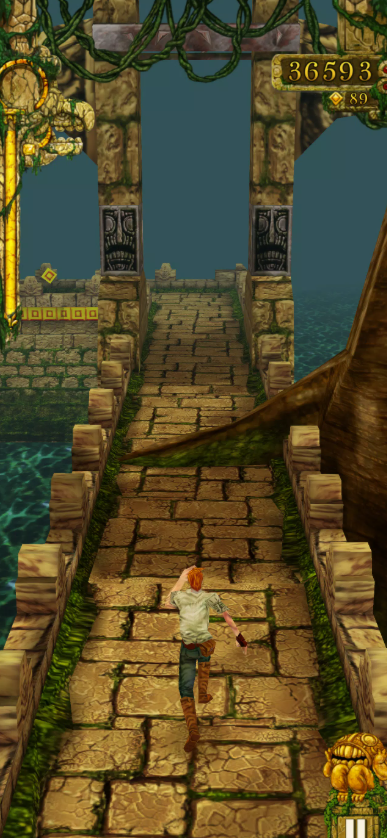
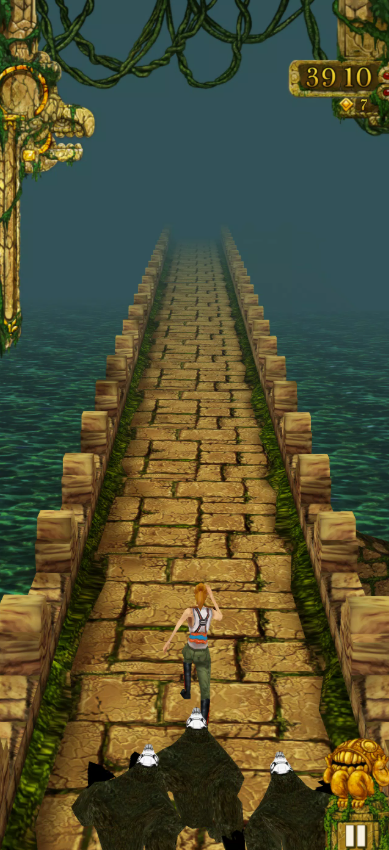
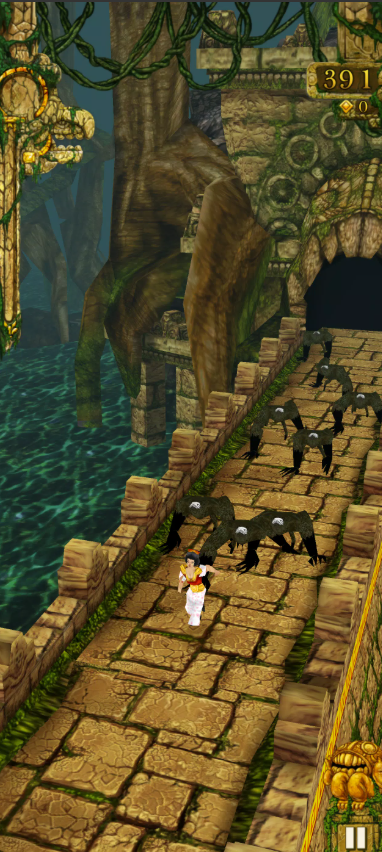
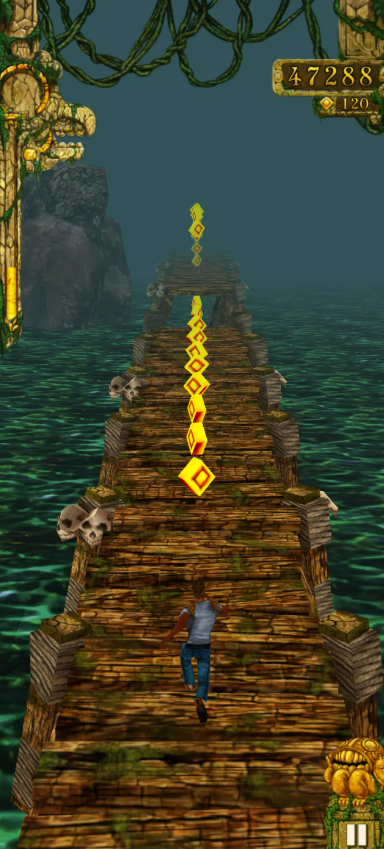
If you have been searching for temple run download android, there is a good chance nostalgia brought you here. Temple Run is one of those mobile games that almost everyone recognizes immediately: a stolen idol, a pack of Demon Monkeys right behind you, narrow temple paths, impossible corners, and that horrible moment when you swipe half a second too late.
Even after years of newer endless runners, the original Temple Run still works because the idea is incredibly simple. You don't need to learn complicated character builds or sit through a twenty-minute tutorial. Open the game, start running, swipe to survive, collect coins, and try to beat your previous score.
Downloading it on Android is also easy if you use Google Play. Things become more confusing when players start looking for a Temple Run APK, older versions, compatibility with older phones, or alternative download sites such as APKPure, Uptodown, Softonic, CNET, and FileHippo.
This temple run download android guide covers all of those situations, including how APK installation works, the difference between Temple Run and Temple Run 2, storage requirements, offline gameplay, updates, device compatibility, and the download safety checks I would personally make before installing anything.

I. Temple Run Download Overview
A. What Is Temple Run?
Temple Run is an endless-running mobile game developed by Imangi Studios. The setup is wonderfully straightforward: your character steals a cursed idol from an ancient temple, triggering a chase by Demon Monkeys.
From there, you run until you make a mistake.
There is technically no traditional finish line. The game keeps increasing the pressure as your speed rises and obstacles become harder to react to. Your goal is to travel farther, collect more coins, complete objectives, increase your score multiplier, unlock characters, and improve your personal best.
The controls helped make Temple Run famous because they felt natural on smartphones:
-
Swipe left or right to turn.
-
Swipe up to jump.
-
Swipe down to slide.
-
Tilt your phone to move sideways.
-
Collect coins and power-ups while avoiding obstacles.
I've always liked the fact that Temple Run doesn't need a complicated explanation. Someone who has never played it can understand the basic controls within one run, while getting genuinely good at the game can take a surprisingly long time.
B. Why Players Search for Temple Run Download on Android
There are several reasons people still search for temple run download android instead of simply typing Temple Run into Google Play.
Older Android phones are one reason. A current version may stop supporting hardware that once ran the game perfectly, causing players to look for an old Temple Run APK.
Another reason is regional or store availability. Some Android devices do not include Google Play, so users start looking for an alternative APK source.
Then there is nostalgia. Many players specifically want the original Temple Run rather than Temple Run 2 because they remember its darker temple setting and simpler gameplay.
Finally, searches such as:
-
Temple Run APK download
-
Temple Run old version
-
Temple Run free download
-
Temple Run offline download
-
Temple Run original game download
are common enough that plenty of low-quality websites try to attract players with fake buttons.
That is why knowing what you are actually downloading matters.
II. Temple Run APK Download
A. Official APK Download
For most Android users, I would not start with a standalone APK at all.
The normal official Temple Run download Android method is Google Play. Search for Temple Run, confirm the developer is Imangi Studios, and install the game directly.
Google Play handles several things for you:
-
Device compatibility
-
Package installation
-
Updates
-
App signatures
-
Permissions
-
Account-based reinstallation
When you manually download an APK or XAPK, you take over some of those responsibilities yourself.
That doesn't automatically make sideloading dangerous, but it means you need to pay much more attention to where the file came from.
One useful check is the Android package name. The original Temple Run uses:
com.imangi.templerun
If an alleged original Temple Run APK uses a completely unrelated package identity, I would not install it.
B. Latest Version APK Download
When looking for a Temple Run latest version APK, don't assume every website updates at exactly the same time.
This is something I regularly notice with Android download sites. Google Play may receive an update first, while one APK archive displays the previous release for another few days. Different repositories can even show slightly different release dates or package formats.
For that reason, I wouldn't obsess over a version number copied from a random search result.
My preferred order is:
Google Play → developer information → reputable APK repository only when necessary
If Google Play is available on your phone, simply let the store install the current supported build.
If you must sideload, compare the version date, developer, package name, Android requirement, architecture, and file signature information before installing.
C. Old Version APK Download
Old Temple Run APK versions can still be useful.
For example, an older Android device might not support the newest release but could run a previous build.
Version repositories such as Uptodown, APKPure, and some other download libraries maintain histories of older Temple Run releases.
However, there is an important trade-off.
Older versions may:
-
Lack current bug fixes.
-
Miss privacy improvements.
-
Have compatibility issues.
-
Stop working properly with online features.
-
Contain old advertising or SDK components.
-
Lack newer challenges or features.
I would therefore use an old version only when you have a clear reason.
Installing a five-year-old APK just because somebody says it is the “best Temple Run version” is rarely a good idea.
III. Temple Run vs Temple Run 2
A. Temple Run Download
The original Temple Run is the version I recommend if what you want is the classic experience.
It is much more visually restrained than its sequel.
You get those familiar stone paths, wooden bridges, sharp turns, trees, cliffs, coins, and relentless Demon Monkey chase sequences.
What I still enjoy about the original is its purity.
There aren't many distractions.
Run.
React.
Collect coins.
Don't fall.
Beat your score.
That simplicity is probably why it has aged better than a lot of early mobile games.
B. Temple Run 2 Download
Temple Run 2 takes the same basic idea and expands almost everything.
The sequel introduces more visually varied environments and additional gameplay mechanics, including things such as zip lines, mine sections, more elaborate terrain, character abilities, newer challenges, and far more ongoing content.
If I were recommending one game to a completely new player who has no nostalgia for the original, Temple Run 2 is arguably the richer package.
If you're specifically searching for temple run download android because you remember playing it years ago, though, download the original first.
C. Key Differences Between Versions
| Feature | Temple Run | Temple Run 2 |
|---|---|---|
| Overall Style | Classic and simple | More modern and colorful |
| Environments | Original temple setting | More varied locations |
| Controls | Swipe and tilt | Swipe and tilt with expanded mechanics |
| Obstacles | Classic traps and gaps | Wider obstacle variety |
| Characters | Unlockable runners | Larger and more developed roster |
| Special Abilities | Simpler | More character-specific features |
| Events | Limited compared with sequel | More active event structure |
| Best For | Nostalgia and classic gameplay | Players wanting more content |
Neither completely replaces the other.
I still find the first game more satisfying when I just want a quick run without thinking about anything else.
IV. Where to Download Temple Run APK
A. Google Play Store Download
Google Play should be your first choice.
Open Google Play and search:
Temple Run Imangi Studios
Then verify that you are looking at the original game rather than a clone with a similar icon.
Google Play is particularly useful because it tells you whether your specific device can install the current version.
If you see a compatibility warning, don't immediately download the first old APK you find elsewhere. Check your Android version and available storage first.
B. APKPure Download
APKPure maintains Android packages and older versions of many apps, including Temple Run.
It can be useful if Google Play isn't available on your device.
When using APKPure, look carefully at:
-
Developer: Imangi Studios
-
Package name
-
File version
-
Upload/update date
-
Android requirement
-
CPU architecture
-
File format
You may encounter an XAPK rather than a conventional APK.
An XAPK can contain the base application plus additional split packages or resources. That means simply tapping it with Android's normal package installer may not always work in the same way as a standard APK.
C. Uptodown Download
Uptodown is another repository that keeps a Temple Run version history.
This can be handy if you're deliberately looking for an older build because the newest release doesn't run correctly on an old phone.
The advantage of a version-history page is that you can compare several releases rather than downloading a random file from a search result.
Still, remember that an archived copy is not automatically equivalent to installing through Google Play.
If the current official store version works on your phone, use it.
D. Softonic, CNET, and FileHippo Download
You may also encounter Temple Run pages on Softonic, FileHippo, CNET, and similar software download websites.
Some of these sites provide APK/XAPK files, some redirect to another store, and some maintain informational pages that can become outdated.
This is why I don't recommend picking a download site based on whichever one appears first in a search engine.
For example, one repository might still display version 1.39 while another has already moved to a later build.
My preference is simple:
Google Play first.
If Google Play isn't possible, use a recognizable APK archive with clear package information and security checks.
Avoid mystery “Download Now” pages that don't even tell you the application version or developer.
V. How to Install Temple Run on Android
A. Enabling Unknown Sources
You do not need to enable unknown-source installation when downloading Temple Run through Google Play.
This section only applies to APK or XAPK sideloading.
On newer Android versions, there usually isn't one global “Unknown Sources” switch anymore.
Instead, permission is granted to a specific application.
The route generally looks similar to:
Settings → Apps → Special App Access → Install Unknown Apps
Then choose the application that will open the APK, such as:
-
Chrome
-
Your web browser
-
Files
-
File Manager
Enable Allow from this source.
The exact menu wording can change between Samsung, Xiaomi, Huawei, Pixel, and other Android interfaces.
B. Installing the APK File
For a normal APK:
-
Download the Temple Run APK.
-
Open your Downloads folder.
-
Tap the APK.
-
Android displays an installation prompt.
-
Review the information.
-
Tap Install.
-
Wait for installation to finish.
If Android reports:
App not installed
possible causes include:
-
Wrong Android version.
-
Wrong CPU architecture.
-
Corrupted download.
-
Conflicting version already installed.
-
Insufficient storage.
-
Signature mismatch.
If the file is XAPK, installation may require an installer capable of handling split APK packages.
After you're finished sideloading, I recommend disabling “Install unknown apps” permission again.
C. Launching the Game
Once installed, open Temple Run from your app drawer.
The first launch may display privacy options, age-related settings, advertising choices, or permission prompts depending on your region and version.
Then you can start running.
There isn't a giant tutorial to memorize.
Swipe left.
Swipe right.
Jump.
Slide.
Tilt.
You will probably die within your first few minutes.
That's normal.
VI. Temple Run File Size and Requirements
A. APK File Size
Temple Run's Android package is relatively modest compared with modern mobile RPGs, but the exact Temple Run APK size changes between versions and package formats.
Recent packages from third-party archives can sit roughly in the 150–200 MB range, while older versions may be smaller.
XAPK versions can also appear larger because they include additional resources.
Don't treat one exact number as permanent.
Every update can change it.
B. Android Version Requirements
The current Android requirement has increased over the years.
Newer archived releases are built for relatively modern Android versions, while older versions supported much older Android systems.
This is exactly why players with aging Samsung, Huawei, Xiaomi, or budget Android phones sometimes see a compatibility error.
Instead of assuming “Temple Run is an old game, so every old phone can run it,” check the current listing.
The game may be old.
The current app build isn't.
C. Storage Space Needed
Always leave more space than the APK itself requires.
If the package is roughly 150–200 MB, I would try to keep at least several hundred megabytes free, preferably more.
Android needs room for:
-
The downloaded package.
-
Installed application files.
-
Cache.
-
Save data.
-
Updates.
-
Temporary installation files.
Running your phone with almost zero free storage can also hurt overall performance.
VII. Temple Run Download Safety
A. Safe and Virus-Free Download
There is no download source I would describe as magically risk-free forever.
Even reputable services can make mistakes.
The safest practical route remains the official app marketplace.
When sideloading, security depends on several things:
-
Where the file came from.
-
Whether the publisher is legitimate.
-
Whether the package has been modified.
-
Whether its signature matches.
-
Whether it has been security scanned.
-
Whether the website redirects you through suspicious installers.
Be especially wary of versions labeled:
Temple Run MOD APK unlimited coins
or:
Temple Run premium unlocked
Those are modified packages rather than the normal game.
B. Verifying Official APK Sources
Before installing, check:
Developer
Imangi Studios.
Package
com.imangi.templerun
Game
Original Temple Run, not Temple Run 2.
Temple Run 2 has a different package.
Permissions
Look for anything obviously unrelated to what the application needs.
Version
Compare it with current store information.
Signature or checksum
If a repository publishes package hashes or signing information, that gives you another verification point.
The more information a download page provides, the easier it is to assess.
C. Avoiding Fake Download Links
Fake Android download sites often use tricks such as:
-
Multiple fake Download buttons.
-
Forced browser extensions.
-
“Human verification.”
-
Survey completion.
-
APKs hidden inside ZIP files.
-
Password-protected archives.
-
Download-manager executables.
-
Requests for credit card information.
-
Unlimited coin generators.
-
Fake update alerts.
Temple Run is free.
There is absolutely no reason to enter payment information just to download the base Android game.
If a download page feels unnecessarily complicated, leave.
VIII. Temple Run Update and Version History
A. Latest Update Download
The easiest way to keep Temple Run updated is through Google Play.
Go to:
Google Play → Profile → Manage Apps & Device → Updates
If Temple Run has an update available, install it there.
As of August 2026, the Google Play listing is still actively receiving updates.
That is worth mentioning because some players assume the original Temple Run has been completely abandoned since Temple Run 2 became the more prominent sequel.
It hasn't disappeared.
When using an APK site, however, update timing can differ between repositories. One archive might have the newest package before another.
This is another reason I treat Google Play as the reference point.
B. Previous Version Downloads
Older versions are most useful in three situations:
-
Your device no longer supports the current release.
-
A new update introduced a compatibility problem.
-
You specifically need an older build for testing.
Version histories on APK repositories can make this possible.
But don't downgrade casually.
Installing an older APK over a newer one may fail because Android normally prevents straightforward downgrades.
You may need to uninstall the current version first.
That leads to another important warning.
Temple Run 1 stores progress locally and does not provide the same kind of cloud recovery that many modern games do.
If you delete the application, your local progress may disappear.
So don't uninstall a working copy just to experiment with another APK unless you're willing to risk losing your save.
C. Checking Version History
A useful Temple Run version-history page should show:
-
Version number
-
Release date
-
Android requirement
-
Package format
-
File size
-
Architecture
-
Previous builds
If those details are missing, I wouldn't use that page as my main APK source.
And if you only want to play the game rather than archive old Android applications, you can ignore most of this.
Install through Google Play and let automatic updates do the work.
IX. Temple Run Gameplay Basics
A. Endless Runner Mechanics
Temple Run is one of the games that defined the modern endless-runner formula.
Your character moves forward automatically.
You don't control speed directly.
Instead, your job is to survive.
The longer you run, the more intense the game becomes.
Your score grows through distance, coins, objectives, and multipliers.
Eventually the pace becomes fast enough that you stop consciously thinking:
“Swipe left.”
Your thumb just moves.
That's when Temple Run feels best.
B. Demon Monkey Chase and Obstacles
The Demon Monkeys are the pressure behind the entire game.
At the beginning of a run, your character escapes after stealing the cursed idol.
From there, you face obstacles such as:
-
Gaps
-
Tree roots
-
Fire
-
Narrow paths
-
Broken bridges
-
Sharp corners
-
Low obstacles
-
Cliff edges
Hitting certain obstacles doesn't always kill you instantly.
Sometimes your character stumbles.
But stumble too much and the Demon Monkeys catch up.
That small mechanic creates great tension because a minor mistake suddenly makes the next few seconds feel much more dangerous.
C. Tilt and Swipe Controls
Temple Run uses two control systems at once.
Swiping handles actions.
Swipe left/right for turns.
Swipe up to jump.
Swipe down to slide.
Tilting handles positioning.
Tilt left or right to move across the path.
This is mainly used for grabbing coins or avoiding dangerous edges.
A beginner mistake is tilting too aggressively.
You usually don't need to swing your phone around like you're steering a race car.
Small movements are enough.
X. Temple Run Device Compatibility
A. Compatibility With Samsung, Xiaomi, and Huawei
Temple Run is not limited to a particular Android manufacturer.
Samsung Galaxy, Xiaomi, Redmi, POCO, Huawei, Honor, Motorola, OnePlus, OPPO, vivo, Pixel, and many other devices can potentially run it.
What matters more is:
-
Android version
-
Processor architecture
-
Available RAM
-
Graphics compatibility
-
Storage
Samsung and Xiaomi users with Google Play can generally install directly through the store if their device is supported.
Huawei devices without Google Play services can be more complicated because the usual Google Play installation route may not exist.
In that situation, be especially careful with third-party APK sources.
B. Tablet Download Support
Temple Run also works well on compatible Android tablets.
The larger display gives you more screen space, although I personally find tilt control slightly less comfortable on a big tablet than on a phone.
Installation works the same way:
Google Play → Temple Run → Install
If your tablet is listed as incompatible, check its Android version and hardware rather than assuming every Android tablet is automatically supported.
C. Offline Gameplay Without WiFi
One of Temple Run's best features is that the core game can be played offline after installation.
That makes it excellent for:
-
Flights
-
Subway rides
-
Road trips
-
Waiting rooms
-
Areas with weak mobile signal
You don't need Wi-Fi every time you want to start a run.
However, some connected functions won't be available offline.
Daily, weekly, and global challenge functions can depend on an internet connection, and the in-game store may also be unavailable while disconnected.
For ordinary score-chasing?
Offline play works just fine.
XI. Temple Run In-App Features
A. Coins and Power-Ups
Coins are one of the main progression resources.
While running, tilt your device to move toward coin trails.
Coins can be used to upgrade useful power-ups and unlock other content.
Common power-up concepts include:
-
Coin bonuses
-
Magnets
-
Invisibility-style protection
-
Boost effects
-
Score-related bonuses
Upgrading them gives you more value during longer runs.
My advice is not to chase every coin.
At high speed, survival is more important than collecting one dangerous coin line near the edge.
I've ended plenty of promising runs because I got greedy.
B. Character Skins
Temple Run includes multiple playable characters.
The characters don't fundamentally transform the game into an RPG, but unlocking different runners gives you another reason to keep collecting currency and playing.
For nostalgic players, even the character selection is part of the appeal.
The classic visual style is instantly recognizable compared with newer endless runners.
C. In-App Purchases
Temple Run is free to download, but it contains advertising and optional in-app purchases.
That is an important distinction.
Free download does not mean the app has no monetization.
Depending on the current build, players may encounter ads and purchase options involving in-game currency or other conveniences.
You don't need to purchase something just to understand or enjoy the basic running gameplay.
If you're downloading the game for a child, I would review Google Play purchase authentication settings first so accidental purchases aren't possible.
XII. Temple Run Developer and Support Information
A. Imangi Studios Overview
Temple Run is developed by Imangi Studios, the studio behind both the original Temple Run and Temple Run 2.
The first game became one of the defining mobile titles of the early smartphone era.
Its influence is easy to see.
The swipe-based endless-running structure inspired years of mobile games that followed, and “Temple Run-style game” effectively became a shorthand description for an entire category.
The impressive part is that the original is still available all these years later.
It isn't simply a dead APK preserved on old software sites.
The Android listing continues to be maintained.
B. Developer Support and Privacy Policy
If you run into problems with Temple Run, go through Imangi Studios' official support channels rather than relying on advice from an APK comment section.
Common issues include:
-
Game won't install.
-
Game won't launch.
-
Device shows incompatible.
-
Sound isn't working.
-
Progress disappears.
-
Purchases aren't recognized.
-
Challenges aren't appearing.
Privacy is also worth checking because the current Google Play edition can contain advertising, in-app purchases, analytics, and data-processing features.
Imangi publishes privacy information covering its games and recommends using current supported versions instead of unofficial installations.
That recommendation makes sense.
An APK mirror can tell you that a file passed a malware scan, but only the developer controls the official build and its support lifecycle.
Let's wrap things up
For most players searching for temple run download android, the answer is much simpler than the dozens of APK websites make it look.
Start with Google Play.
Search for Temple Run, confirm Imangi Studios as the developer, install the game, and let the Play Store handle future updates.
If Google Play isn't available or your older device can't install the latest release, reputable APK repositories such as APKPure or Uptodown can provide another route, especially when you need access to previous versions. Just remember that sideloading means checking the package name, version, Android requirement, architecture, source, and security information yourself.
I would also think carefully before downgrading. Temple Run 1 keeps progress locally, so uninstalling the game can cost you a save you've spent years building.
As for whether Temple Run is still worth downloading? I think so.
Temple Run 2 has more environments, features, events, and modern presentation, but the original still has something the sequel can't completely replace. It is clean, immediate, and ridiculously easy to pick up.
You open the game.
The Demon Monkeys start chasing you.
You tell yourself you'll do one quick run.
Ten failed runs later, you're still trying to beat that high score.
Some mobile games really don't need to be more complicated than that.