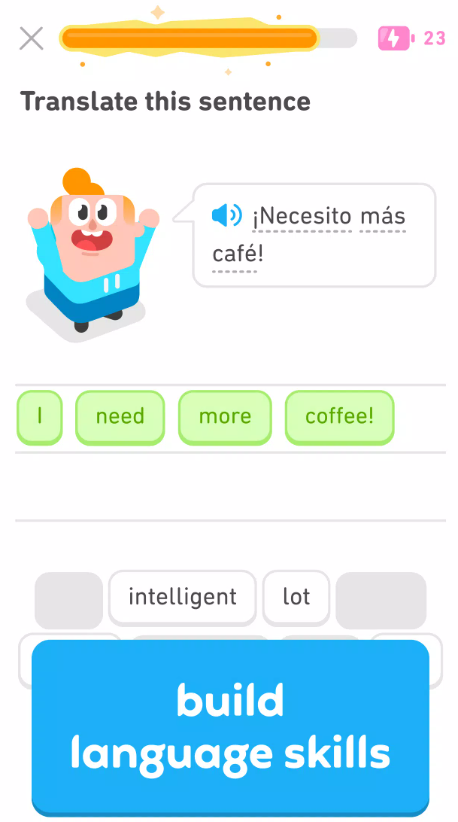

If you have ever searched for a simple way to start learning Spanish, French, Japanese, Korean, or another language from your phone, there is a good chance Duolingo has appeared near the top of your list. The green owl has become almost impossible to miss in the language-learning world, mainly because the app turns lessons into short challenges that feel closer to a mobile game than a traditional classroom.
For anyone searching for Duolingo download Android, the good news is that getting started is straightforward. The main Duolingo app is available for mobile devices, while desktop users can access most learning features directly through a web browser.
I have tested plenty of language and lifestyle apps over the years, and Duolingo stands out because it asks very little from a beginner. You do not need to prepare textbooks or schedule a one-hour study session. You can open the app, complete a lesson in a few minutes, earn some XP, and come back later.
That convenience is also its biggest attraction. Duolingo probably will not replace every language-learning method, especially if your goal is advanced conversation, but it can be an excellent daily learning tool.
I. Introduction to Duolingo App
A. What Is Duolingo?
Duolingo is an educational app built around short, interactive lessons. Language learning remains its best-known feature, although the platform has gradually expanded into other subjects.
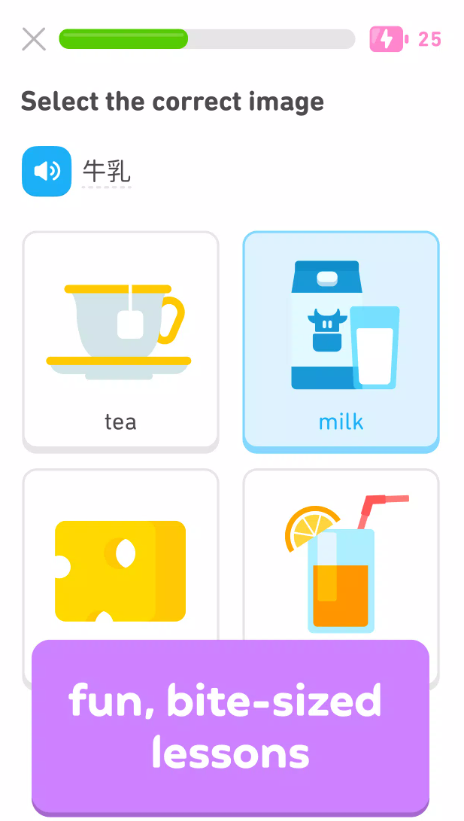
Instead of presenting long grammar chapters, Duolingo breaks learning into small exercises. You might translate a sentence, match vocabulary, listen to a phrase, type what you hear, or practice pronunciation.
The experience feels deliberately game-like. Completing lessons gives you XP, maintaining daily study builds a streak, and leaderboard competitions encourage you to keep practicing.
For beginners, this approach makes language learning feel far less intimidating.
B. Why Download Duolingo?
The main reason I recommend trying Duolingo is accessibility. You can begin without buying a course, and the lessons are short enough to fit into a commute, lunch break, or a few spare minutes before bed.
The app is especially useful for:
-
Beginners starting their first foreign language
-
Travelers learning practical vocabulary
-
Students reviewing basic grammar and words
-
Casual learners who struggle to maintain a study habit
-
Returning learners who want daily practice without committing to long lessons
The biggest advantage is consistency. Ten minutes every day may not sound impressive, but it is usually better than studying for two hours once every few weeks.
C. Available Platforms: Android, iOS, Web, and Windows
Duolingo can be used across several types of devices.
Android users can install the mobile app through Google Play. iPhone and iPad users can download it from Apple's App Store. Desktop users can access Duolingo through a modern web browser.
Windows users generally do not need a traditional desktop installation. Opening Duolingo through Chrome, Edge, Firefox, or another compatible browser gives you access to your account and courses.
Because progress is attached to your account, moving between devices is easy.
II. How to Download Duolingo on Android
A. Google Play Store Method
For most people searching for Duolingo download Android, Google Play is the method I recommend.
Open Google Play on your phone and search for Duolingo. Check that you are viewing the official Duolingo application before tapping Install.
After installation:
-
Open Duolingo.
-
Select the language you want to learn.
-
Create an account or sign in.
-
Choose your learning goal.
-
Begin your first lesson.
Downloading from Google Play also makes future updates much easier because Android can automatically install new versions.
B. Duolingo APK Download: APKMirror, Uptodown, and Aptoide
Some Android users prefer installing apps manually using APK files. This may happen when Google Play is unavailable, a device does not include Google services, or someone needs a specific app version.
Third-party APK platforms such as APKMirror, Uptodown, and Aptoide may list Duolingo installation packages.
However, manual APK installation deserves extra caution.
Whenever possible, I recommend using Google Play. If you choose an APK instead, verify that the package belongs to Duolingo, avoid modified or cracked versions, and never install an APK that requests suspicious permissions unrelated to language learning.
You may also need to temporarily enable Android's permission to install apps from an external source.
C. Minimum Android Requirements
Android compatibility can change as Duolingo updates its software.
Rather than relying on an old minimum-version number from a random download page, check the compatibility information shown on Google Play for your device. Google Play normally prevents installation when your Android version or hardware is unsupported.
Older phones may still be able to run an earlier APK, but using outdated versions can introduce bugs, security concerns, and login problems.
III. How to Download Duolingo on iPhone and iPad
A. App Store Installation Steps
Installing Duolingo on an iPhone or iPad is equally simple.
Open the App Store, search for Duolingo, select the official app, and tap Get. Authenticate with Face ID, Touch ID, or your Apple account when requested.
Once the download finishes, launch the app and either create a new account or log into an existing one.
B. Minimum iOS Requirements
Duolingo updates its iOS requirements periodically as Apple releases newer operating systems.
Before downloading, check the Compatibility section on the App Store page. If your iPhone or iPad runs an older version of iOS or iPadOS, you may need to update the operating system first.
Users with very old devices should be particularly careful because current Duolingo releases may eventually stop supporting older software.
C. Duolingo Family Apps: English Test, ABC, and Chess
Duolingo has expanded beyond its original language-learning experience.
Duolingo ABC focuses on early literacy and reading skills for children. The Duolingo English Test is a separate English proficiency testing service used for academic and institutional purposes.
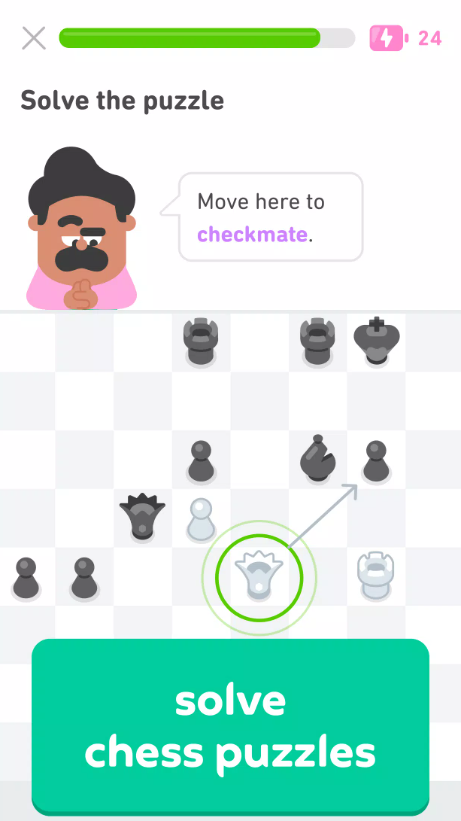
Chess has also become part of Duolingo's broader learning ecosystem, with interactive lessons designed to teach players basic concepts and progressively more advanced ideas.
Not every Duolingo product requires the same app, so check which service you actually need before downloading.
IV. Duolingo for PC and Web
A. Duolingo Web App: No Download Required
One of the easiest ways to use Duolingo on a computer is simply to open its website.
There is no need to download a large desktop program. Sign into your account using a browser and your current courses and progress should appear automatically.
For people who spend most of the day working on a computer, I actually find the web version surprisingly convenient.
B. Using Duolingo on Windows
Windows users can run Duolingo through a browser such as Microsoft Edge or Chrome.
You can also create a desktop shortcut or install the website as a browser-based web app where supported. That gives Duolingo a more app-like window without requiring an Android emulator.
An emulator can run the Android version, but for normal learning it adds unnecessary complexity.
C. Cross-Device Sync
Cross-device syncing is one of Duolingo's most useful features.
If you complete several Spanish lessons on your Android phone and later log in on a laptop, your progress should follow your account.
The same applies when switching between Android, iPhone, tablet, and web.
Just make sure you are signed into the same Duolingo account on every device.
V. Creating a Duolingo Account
A. Sign-Up Process
You can explore Duolingo quickly, but creating an account is important if you want your progress saved.
Registration usually involves choosing a login method and setting up a profile. Once your account exists, your lessons, streak, XP, course progress, and other data can be connected to it.
B. Choosing a Language Course
Your next decision is choosing what you want to learn.
Duolingo offers a large collection of courses, although availability can differ depending on the language you already speak.
For English speakers, Spanish and French are obvious starting points, but Japanese and Korean are also extremely popular.
Do not worry too much about choosing perfectly. You can add additional courses later.
C. Setting Daily Goals
Duolingo works best when you treat it as a daily routine rather than an app you open randomly.
Pick a goal that feels realistic.
I would rather see a beginner study for 10 minutes every day than select an ambitious target and quit after four days. Build the habit first, then increase your learning time.
VI. Core Features After Download
A. Gamified Lesson Structure
Duolingo's biggest personality trait is gamification.
Lessons are organized along a progression path, and exercises are deliberately short. Completing one activity encourages you to move to the next, similar to clearing stages in a mobile game.
This format is excellent for motivation, although serious learners should still combine Duolingo with conversation practice and real-world listening.
B. Streaks, XP, and Hearts System
Streaks count how many consecutive days you have practiced.
XP measures activity and plays an important role in rankings and competitions.
The Hearts system can limit mistakes for some free users. Lose too many hearts and you may need to practice, wait, or use another available method to continue.
Some users enjoy the extra pressure, while others find it frustrating.
C. Leagues and Leaderboards
Duolingo places learners into weekly competitive leagues where XP determines ranking.
This feature sounds minor, but it can become surprisingly motivating.
If you are the competitive type, watching another learner jump ahead of you by 50 XP might be enough to convince you to complete one more lesson.
Just remember that earning XP is not the same thing as mastering a language.
D. Practice Hub and Personalized Review
Review features help you revisit vocabulary and concepts you have previously encountered.
This matters because language learning depends heavily on repetition. Finishing a lesson once does not mean you will remember everything three weeks later.
Personalized review can make short daily study sessions much more useful.
VII. Duolingo Course Catalog
A. Popular Languages
Duolingo covers many widely studied languages.
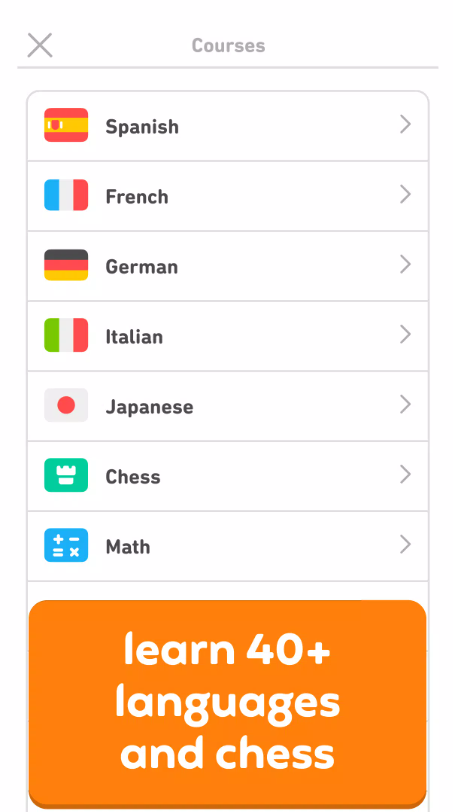
Spanish, French, Japanese, Korean, German, Italian, and English are among the courses that attract plenty of learners.
Course depth is not identical across every language, so larger and more established courses may offer a richer experience.
B. Novelty Courses: High Valyrian and Klingon
Duolingo also became famous for offering languages that you are unlikely to encounter at a traditional language school.
High Valyrian and Klingon are perfect examples.
They might not help with your next business trip, but they show how playful Duolingo is willing to be.
C. Non-Language Courses: Math and Music
Duolingo is no longer exclusively a language-learning platform.
Math activities use the same bite-sized philosophy to teach concepts through interactive exercises, while Music introduces notes, rhythm, and related fundamentals.
These courses feel familiar if you already understand Duolingo's lesson system.
D. Duolingo English Test and ABC
Duolingo ABC focuses on children's literacy development.
The Duolingo English Test serves a very different audience. It is designed as an English proficiency assessment rather than an everyday language-learning game.
Do not confuse completing regular Duolingo English lessons with taking an official proficiency test.
VIII. Free vs. Super Duolingo
A. Free Version Limitations
Duolingo can be downloaded and used for free.
The free experience typically includes advertising and certain restrictions designed to support the subscription model.
For casual learners, the free version can still provide a huge amount of useful material.
B. Super Duolingo Benefits
Super Duolingo is the premium subscription tier.
Its main appeal is convenience. Depending on the current subscription configuration, premium features can include an ad-free experience, fewer learning restrictions, unlimited hearts, and enhanced practice tools.
For someone using Duolingo every day, these improvements can make the experience smoother.
C. Pricing and Free Trial
Duolingo subscription pricing varies according to country, platform, billing period, promotions, and whether you choose an individual or family option.
For that reason, I recommend checking the price displayed inside your own Duolingo app rather than relying on an old price quoted online.
Free trials may also be available at different times.
Always check the renewal date before starting a trial.
D. Ad-Free and Unlimited Hearts
These are probably the two Super features most users notice immediately.
Removing advertisements reduces interruptions between lessons, while unlimited hearts allow you to keep practicing even after making several mistakes.
Whether that is worth paying for depends heavily on how often you use the app.
IX. Duolingo App Performance and Compatibility
A. App Size and Update Frequency
Duolingo receives regular updates, and app size can vary by platform and version.
Because additional content may be downloaded or cached during use, keep some spare storage available rather than relying only on the initial download size.
Frequent updates are generally a positive sign for an actively maintained app, although interface changes can occasionally frustrate longtime users.
B. Offline Access Capability
Offline learning is one area where expectations should be realistic.
Some content may remain accessible depending on your subscription, device, cached lessons, and current Duolingo features, but you should not assume the entire course works permanently without internet access.
If you are preparing for a flight or traveling somewhere with unreliable connectivity, open the app beforehand and check what remains available offline.
C. Internet Connection Requirements
An internet connection is recommended for the normal Duolingo experience.
Account syncing, leaderboards, new lessons, progress updates, advertisements, subscription verification, and other online features naturally depend on connectivity.
Wi-Fi or stable mobile data gives the smoothest experience.
X. User Reviews and Ratings Summary
A. Editorial Review Highlights
From an app-review perspective, Duolingo succeeds because it removes friction.
It is colorful, quick to understand, and unusually good at convincing people to return every day. Beginners can start learning without understanding complicated study systems.
The app also benefits from years of refinement, so navigation generally feels polished.
B. Common Pros and Cons
The most common strengths are easy lessons, strong motivation systems, a large course catalog, short practice sessions, and free access.
The weaknesses are equally understandable.
Some learners dislike ads or the Hearts system. Others feel that lessons occasionally become repetitive. Advanced learners may also find that Duolingo alone does not provide enough unrestricted conversation practice.
That is why I see Duolingo as a powerful learning tool rather than a complete replacement for every other method.
C. Average User Ratings
Duolingo generally maintains very strong ratings across major mobile app stores, backed by a massive number of user reviews.
Exact averages change over time, so the figure displayed in Google Play or the App Store when you download the app is the most useful current reference.
More important than the number itself is the long-term pattern: Duolingo remains one of the most widely used and heavily reviewed education apps.
XI. Duolingo vs. Competitor Apps
A. Duolingo vs. Babbel
Babbel feels more like a structured language course.
Its lessons often provide stronger explanations of grammar and practical situations, while Duolingo puts more emphasis on short exercises, habit building, and gamification.
If you want something playful and easy to use every day, Duolingo has the advantage. If you prefer a more traditional course structure, Babbel may feel more natural.
B. Duolingo vs. Memrise
Memrise has traditionally placed strong emphasis on vocabulary, memory techniques, and exposure to natural language.
Duolingo feels more like a complete progression game, with courses, XP, streaks, leagues, and guided learning paths.
I find Duolingo better for users who need motivation, while Memrise can appeal to learners who care heavily about vocabulary retention.
C. Duolingo vs. LingoDeer
LingoDeer is particularly well known among learners interested in Asian languages.
Its grammar explanations can sometimes feel more deliberate and traditional than Duolingo's approach.
Duolingo wins on accessibility, community scale, and gamification. LingoDeer may appeal more to learners who want detailed explanations while studying languages such as Japanese or Korean.
XII. Tips for Effective Use After Installation
A. Building a Daily Streak Habit
Do not obsess over completing huge numbers of lessons.
Start with one short session every day.
Once opening Duolingo becomes automatic, you can gradually increase the amount you study.
A 100-day streak built from manageable sessions is far more valuable than exhausting yourself during the first week.
B. Using Reminders and Notifications
Notifications can be annoying in many apps, but Duolingo reminders actually serve a useful purpose.
Set them for a time when you usually have a few free minutes.
If reminders become too aggressive, adjust them rather than disabling every notification immediately.
The goal is to create a helpful cue, not another source of phone stress.
C. Joining Friends and Leaderboards
Adding friends introduces a social layer to learning.
Seeing another person maintain a streak or gain XP can provide just enough motivation to keep you moving.
Leaderboards can work the same way, but do not chase XP at the expense of actual learning.
Your goal is remembering the language, not simply winning a weekly ranking.
XIII. Safety and Privacy Considerations
A. Verifying Safe APK Sources
Anyone choosing the Duolingo APK download route should take security seriously.
The safest option is still an official app store whenever one is available.
If you install an APK manually, verify the source, check the package information, avoid modified premium versions, and scan suspicious files before installation.
A promise such as “free Super Duolingo unlocked” is a major warning sign.
B. App Permissions
Review the permissions requested by the app.
Microphone access can make sense for pronunciation exercises, while notification permission is useful for learning reminders.
If an installation unexpectedly asks for permissions that do not seem connected to the app's functions, investigate before accepting them.
Android and iOS both allow you to review and change permissions later.
C. Privacy Policy Overview
Like most modern online platforms, Duolingo requires account and usage data to provide features such as progress syncing and personalization.
Users who care about privacy should review available account controls and system permissions rather than accepting every option automatically.
Parents setting up Duolingo for younger learners should pay particular attention to age-appropriate account settings and privacy choices.
XIV. Troubleshooting Common Download Issues
A. Installation Errors
If Duolingo will not install, start with the simple fixes.
Check your storage space, restart the device, confirm that your operating system is supported, and make sure Google Play or the App Store is functioning normally.
APK users should verify that the downloaded package is compatible with their Android version and device architecture.
B. Sync and Login Problems
If your progress suddenly appears missing, first check whether you logged into the correct account.
It is surprisingly easy to create a second account using a different sign-in method.
Try logging out and back in, check your connection, and confirm that the same account is being used across devices.
Avoid immediately reinstalling the app unless simpler steps fail.
C. Update and Bug Fixes
When Duolingo behaves strangely after an update, close and reopen the app first.
Next, restart your device and check whether another update is available. Android users can also clear temporary app cache if necessary.
If problems continue, reinstalling the official version can solve corrupted installation files, provided your progress has already been synced to your account.
XV. Frequently Asked Questions
A. Is Duolingo Free to Download?
Yes. The main Duolingo app can be downloaded without paying an upfront purchase price.
You can use its core learning experience for free, although advertisements, optional purchases, and paid subscription plans may be offered.
B. Does Duolingo Work Offline?
Duolingo should primarily be treated as an online learning app.
Certain previously loaded or subscription-supported content may sometimes remain available without a connection, but offline availability can change depending on your device, account, course, and app version.
For reliable progress syncing and full feature access, use an internet connection.
C. Which Devices Support Duolingo?
Duolingo supports modern Android phones and tablets, iPhones, iPads, and desktop computers through its web platform.
Windows users can access Duolingo through a browser without installing an Android emulator.
Because minimum operating-system requirements change over time, always check the current Google Play or App Store compatibility information before downloading on an older device.
Let's wrap things up
For anyone looking up Duolingo download Android, installing the app is only the first step. What makes Duolingo genuinely useful is how easily it turns a few spare minutes into a repeatable learning routine.
Android users should normally download it through Google Play, while iPhone and iPad users can install it through the App Store. Desktop and Windows users can simply use the web version and continue with the same account.
Duolingo's biggest strengths are its beginner-friendly design, short lessons, large selection of courses, streak system, leaderboards, and free access. Its game-like approach will not replace conversations with native speakers, detailed grammar study, or immersion, but it can make daily practice dramatically easier.
If you are completely new to language learning, I would start with the free version, choose one language, set a realistic daily goal, and use Duolingo consistently for a few weeks. Once you know that the habit works for you, you can decide whether Super Duolingo or additional learning apps are worth adding to your routine.
That is ultimately why Duolingo remains such an easy app to recommend: downloading it takes minutes, understanding it takes almost no effort, and building a meaningful learning habit can start with a single lesson.